
live · Fleet
For the dispatcher who hears about a skipped stop from the customer.
Proof of every delivery.
Every vehicle, driver, stop and proof in one twin, on your own servers. The tracker confirms the arrival; the driver’s phone carries the job; a stop left open is caught as the truck drives off.
RuleEach stop has an arrival zone; the tracker entering it is the arrival. A tap far from the vehicle is a mismatch; leaving with the stop open is an exception.
- 20:19:56Trip started · Truck 7, Sam Okafor
- 20:20:13Stop 1 arrival · confirmed by the tracker
- stop 3Arrival mismatch · “Arrived” tapped far from the vehicle; the stop proceeds, flagged
- stop 4Left without completing · caught as the truck drove off
- stop 5Failed: no one present · the job goes to the exceptions lane
- 20:23:08Stop 6 late · seen coming from the ETA
- 20:23:22Trip ended
What a fleet owner actually hears.
Four sentences from the people who run vehicles. Each one is answered below, with the screen that answers it.
Four problems, four screens.
Each answer below is something the product did in the demo run, shown on the screen where it did it.
The tracker says when the truck arrived. The phone says what happened there.
Every stop has an arrival zone. The vehicle’s tracker entering it is the arrival, timed by the device, not by a tap. The driver completes the stop with a photo, a signature and the recipient’s name; the proof is marked geo-verified only if the zone registered the arrival first. Everything lands on one timeline.
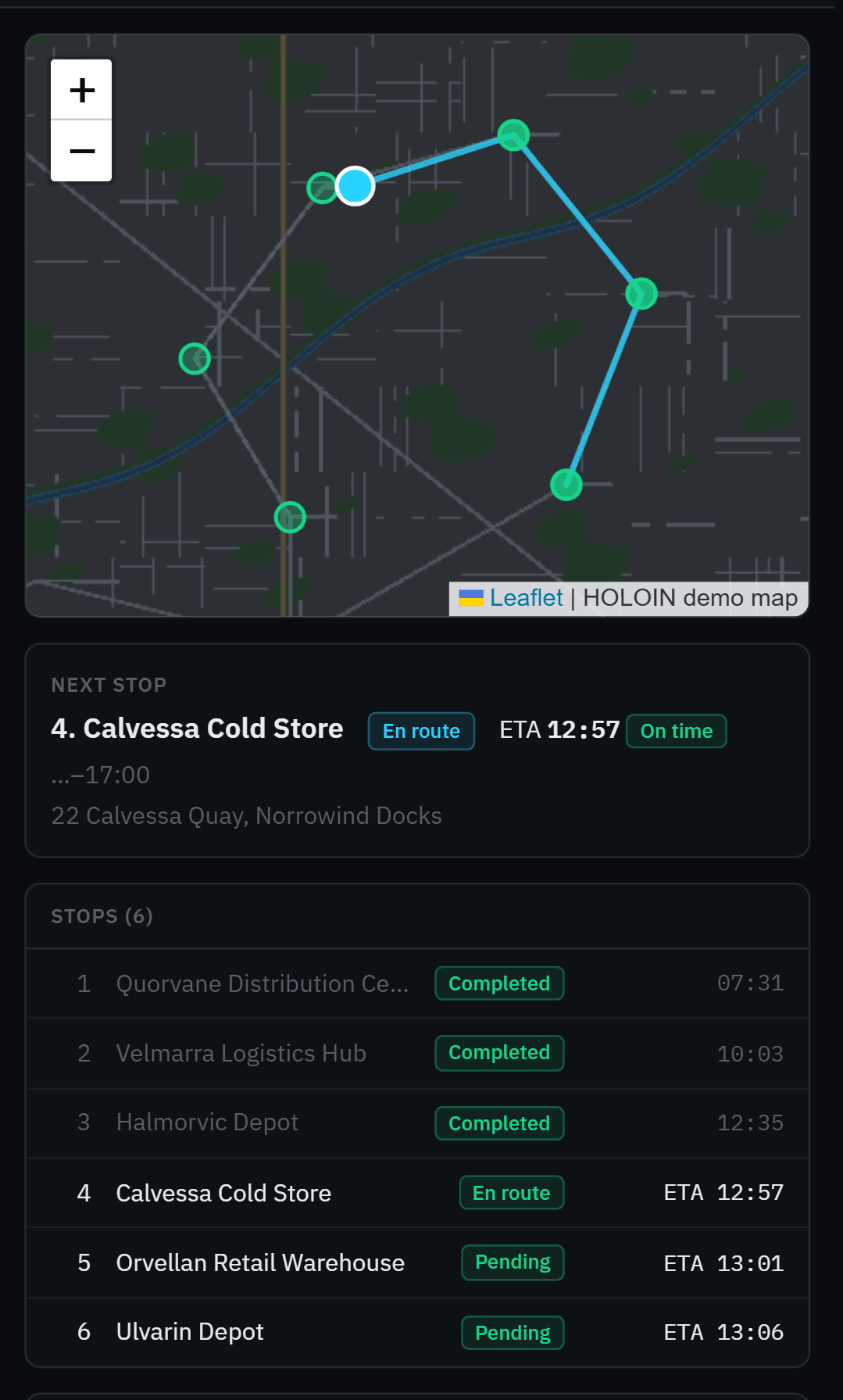
A stop left open is caught as the truck drives off.
When the vehicle leaves a stop’s zone with the stop still open, the twin raises an exception and the driver’s phone asks what happened. A failed stop sends its job to the exceptions lane, where the dispatcher drags it onto any open trip. An ETA running past the window shows “at risk” ten minutes before it is late.
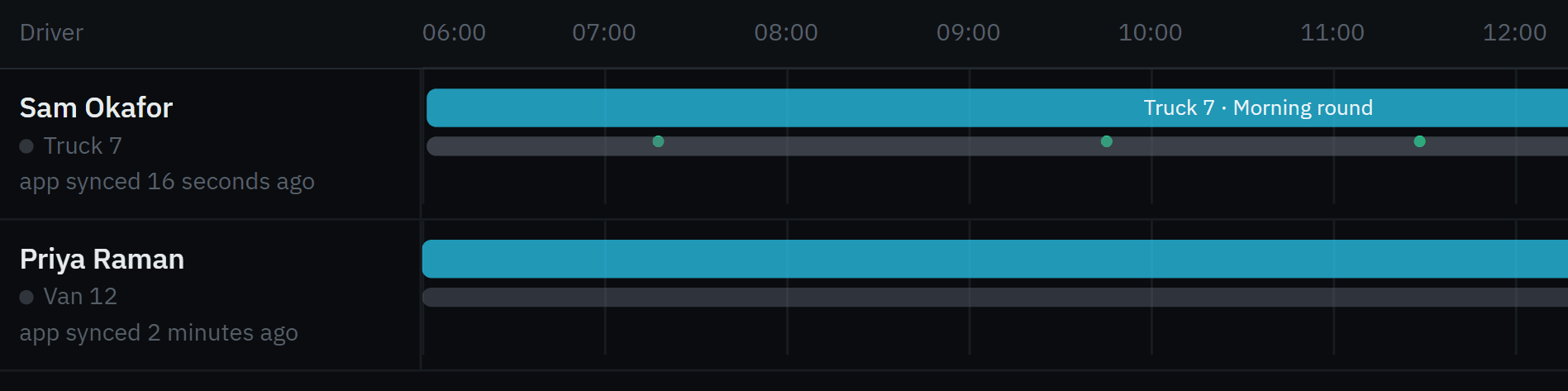
From the demo run. Truck 7’s round on the board: one stop left open, one failed, one running late — each in the exceptions lane before anyone phoned.
The phone queues. The server counts once.
Start, arrive, complete with proof, fail, skip: each action is stamped with the phone’s time and sent at once, or queued in order when there is no signal and delivered when it returns — on Android even with the app closed; on iPhone when the app is opened. Every action carries its own id, so a replay is answered “Already received.” and written once.
One board. Whichever tracker is in the truck.
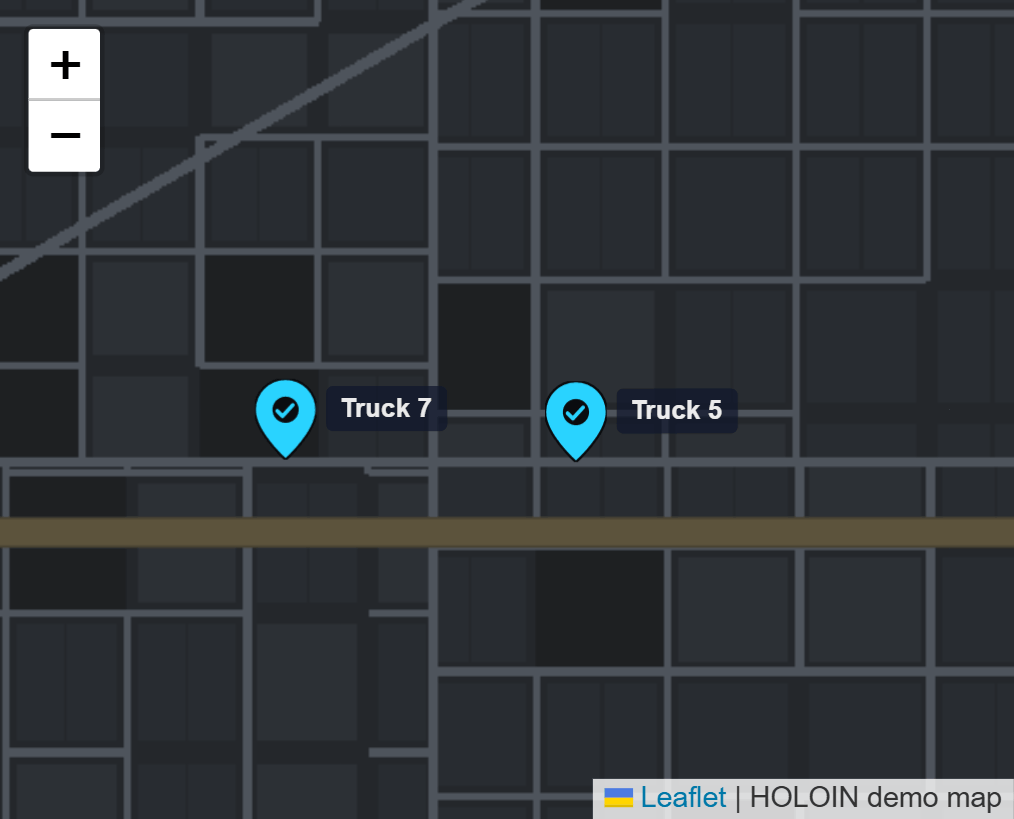
The install carries its own tracker server; a tracker is registered by its IMEI once and never has to be opened in a vendor’s console. The vehicle is the record and the tracker is a part of it: swap the tracker and the vehicle keeps its history, and the new tracker’s old trips never count against this truck.
And the rest of the day’s work
The vehicle is the record. Everything attaches to it.
A tracker, a fuel sensor, a temperature probe in the reefer, a door contact: each is a device placed in the vehicle by its role. The twin counts a device’s readings only since it was installed there, so a tracker moved from another truck brings none of that truck’s kilometres. What isn’t measured is shown as unknown, never as zero.
On the live page, a reading is pushed to the screen as it arrives, no refresh; the driver, the parking slot, the next service and the expiring documents sit beside it.
From the current tracker, since it was installed; moving, stopped or silent by one definition the map shares.
One active assignment at a time; licence flags beside the name.
Tracker, fuel, reefer temperature, door, dashcam — each with its own thresholds and status.
Speed over, geofence crossings, fuel below the line — rules you can read, switched on per company.
Schedules, overdue, the next date; vehicle documents expired or expiring.
Trips, stops, proofs, geofence events, the yard stays — all against the vehicle, surviving a tracker swap.
Fewer phone calls. Fewer arguments.
Stated as changes, not as numbers: your numbers are yours to measure, and Why it pays gives you the arithmetic.
- “Were you there?” is a question for the driver.
- A skipped stop is discovered by the customer.
- A phone with no signal loses the afternoon’s work, or sends it twice.
- Each tracker vendor has a portal; the fleet lives in a spreadsheet.
- Fuel economy is an average of whatever was typed in.
- A tracker moved between trucks carries the wrong history with it.
- “Were you there?” is answered by the tracker’s time at the zone.
- A stop left open raises an exception as the truck drives off.
- Queued actions land once, in order, with the phone’s own times.
- One board; the tracker is a part, the vehicle is the record.
- Economy only from full-tank fills with odometer readings, or “not measurable”.
- A device’s readings count for a vehicle only from the day it was installed there.
When a truck goes quiet, which link broke?
The tracker is the OT. The tracker server inside the install, and the forward from it to HOLOIN, are the IT. The twin holds the path between them, hop by hop.
A silent tracker and a stopped server look the same on a map: the dot stops moving. They are different problems with different people to call. The path check walks from the server outward — ingestion, the tracker server, the cellular link, the tracker — and names the first hop that stopped answering. A stopped server raises one alarm for the installation, not one per truck.
OT · what is measured
The vehicle’s own signals, as the tracker reports them.
- Position, speed, heading, ignition
- Odometer, inputs, external power and battery
- Harsh events the tracker itself detects
- Fuel, reefer temperature, door — sensors by role
IT · what keeps it reporting
Devices in the twin too, with their own health.
- The bundled tracker server: up, its version pinned
- The forward to HOLOIN: receiving, last packet
- The LoRaWAN gateway at the depot: heard, silent, never seen
- The path from any fix back to the server
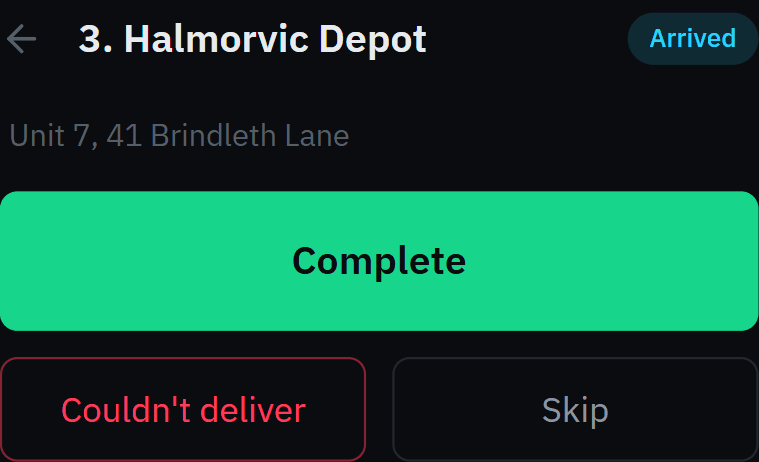
Drawn from the demo run. At stop 3 the driver’s tap was far from the vehicle; the twin trusted the tracker and flagged the tap. The arrival is the tracker’s word, not the driver’s.
Buy the trackers. Everything else comes inside.
One install bundle carries every server a tracker needs. You open the ports; the trackers point at your address; the vehicle appears.
- One Linux server with Dockeryours, or one we run for you in the country you choose
- The trackersany model listed below, or your own if its protocol is one the tracker server speaks
- The ports your IT opensone per tracker protocol; the install guide lists them
- The tracker serverreceives the trackers’ protocols and forwards each fix; registered once by IMEI, never opened by hand
- The LoRaWAN network serverfor LoRaWAN trackers and the sensors in the vehicle, through your own gateway
- The driver’s appserved from the same address, installs from the browser, works offline
- The database, the backups, the web entryone compose file, one address
- One scriptready in 2 min 42 s on the acceptance box (run 39194860273)
- Nightly backup, monthly restore drilla failed one is an alarm in the product
- Upgrade in placesame volumes, registrations and readings intact, proven on every release
- No telemetrythe bundled servers’ phone-home is off; CI fails if any container reaches out
The servers this kind of asset uses, each shown only when its acceptance run passed; statuses from the facts file.
Five systems, or one.
The same fleet, run the usual way. No names: the categories are what matters.
- A tracker portal per vendor — positions on their servers, one login each, a subscription per device.
- A dispatch tool — jobs and trips, unaware of where the truck actually is.
- A driver app — from a third vendor, with its own account for each driver.
- A maintenance and compliance spreadsheet — kept by whoever remembers.
- A monitoring tool for the servers — if anyone watches the servers at all.
- The tracker server is inside — positions on your server, one login for everyone.
- Dispatch reads the tracker — the arrival is the zone, the exception is the drive-off.
- The driver’s phone is the same product — same install, same account, offline by design.
- Maintenance, compliance, fuel, inspections — on the vehicle’s twin, from the tracker’s odometer and the driver’s checklist.
- The path check — the tracker, the server and the forward are devices too; one alarm names the hop.
Counted in devices. Never in people.
One licence per installation, per year, by device tier. A tracker is a device; a driver’s phone, a dispatcher’s login and a manager’s report are not. Add drivers, dispatchers and technicians without a change to the bill.
The whole grid, every tier and every pack, is on Pricing — published, with what counts as a device and what is included.
- The platformUS$2,500
- The Fleet packUS$4,500
- Dispatchers, drivers, techniciansincluded
- The tracker server, the radio server, the driver appincluded
Your server. Your drivers’ data. Nothing phones home.
Not a policy page: each of these is a property of the software you can check on your own server.
One installation, yours
Installed from a bundle that carries everything it needs. Never a shared cloud: one installation per customer, or one your integrator runs for you, each client a company of its own.
PostgreSQL you own
Every position, proof and record in a database you administer. A nightly backup you can restore anywhere, drilled monthly.
Drivers’ data, handled
Export a driver’s record in one file; erase it on request and the vehicle history stays. Every access to a driver’s record is logged.
Nothing phones home
No telemetry in the product, none in the bundled servers. Proved with the network sealed on every release.
Your rules stay yours
Lines, rules, schedules and what the twin learned are text and arithmetic in your database; they leave with you.
An audit log that can’t be edited
Every change, by whom, from where — append-only in the database itself, for seven years, even for the database’s own administrator.
What you actually want to know.
Do I have to install anything?
No. We run HOLOIN for you on a dedicated server in the country you choose, never shared with another company, and you can take it with you. If you have your own servers, install it there instead; same product.
What do I need?
Trackers from the list above (or any the tracker server speaks), a SIM in each, and the ports opened for their protocol. For LoRaWAN trackers and vehicle sensors, one gateway at the depot. The driver’s phone needs a browser.
What does it cost?
Per installation, per year, by device tier: from US$4,000 a year for the platform and one vertical, up to 100 devices; the Fleet pack as above. The whole grid is on Pricing. No per-seat fees.
Who do I call?
Hours, channel and response time: on request. Every installation can produce a support bundle on demand, a readable archive with no personal data or secrets, which your IT team can check before it goes to us.
See it running on your trucks.
I run the fleet
Fifteen minutes on Truck 7’s morning round: the arrival the tracker confirmed, the tap it didn’t, the stop left open, the exception on the board, the proof on the phone. Your trackers if you bring their IMEIs.
I install systems for fleets
One installation per client. The tracker server inside, the ports in the install guide, pricing per installation.
Start a partner conversation →